Local OBS widgets, overlays over CS2 and sim racers, live telemetry and a PC check before every match. Everything unlocks by subscribing to our Telegram channel.
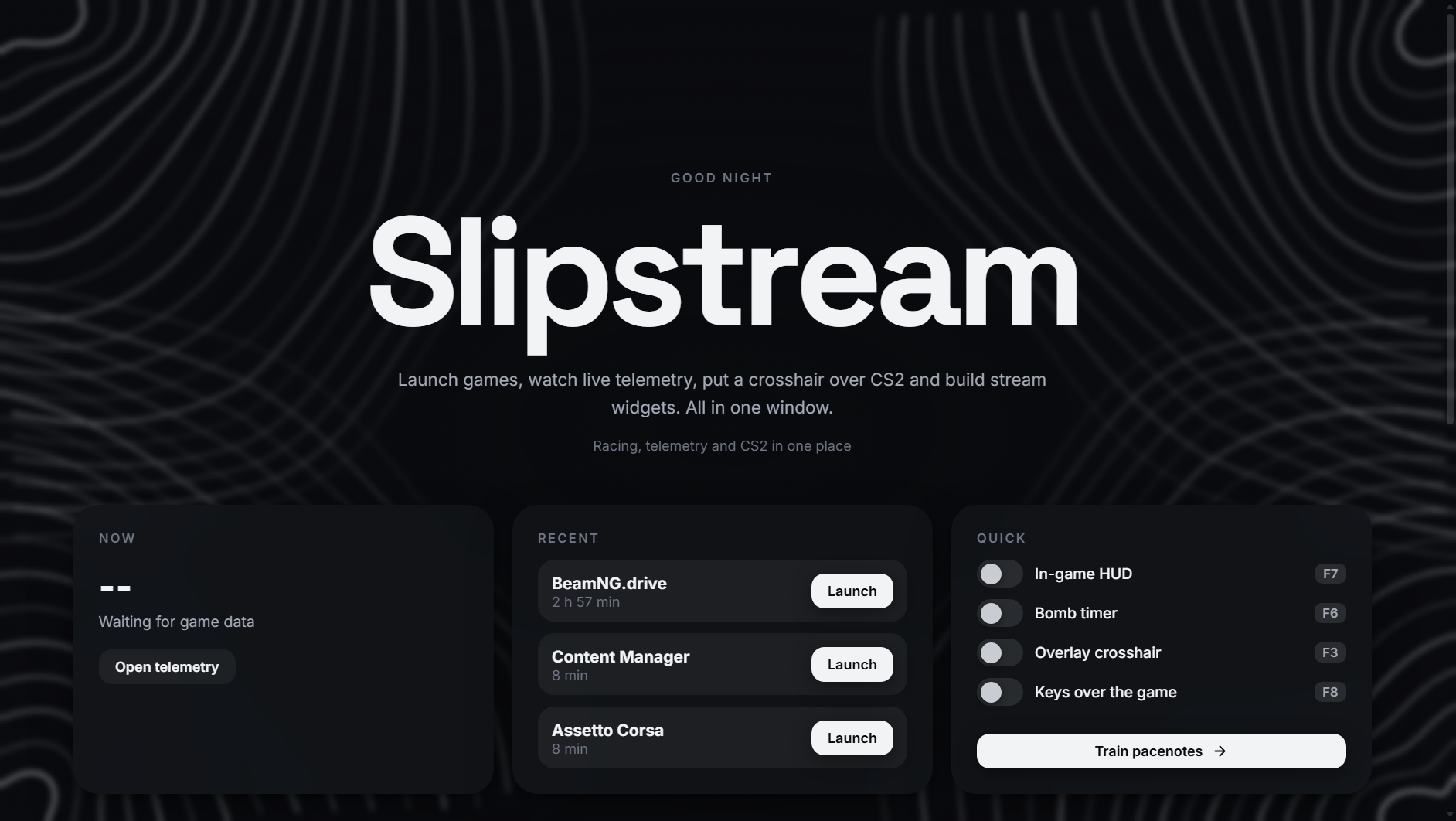
Local OBS widgets
They run straight from your PC, never dropping out due to third-party services or latency. Pick your colours, copy the local link and add a Browser Source in OBS.
- Telemetry, FACEIT and games: current gear, speed, Elo rating and active game on screen.
- Twitch chat, radar cover, keys, mouse clicks and current track.
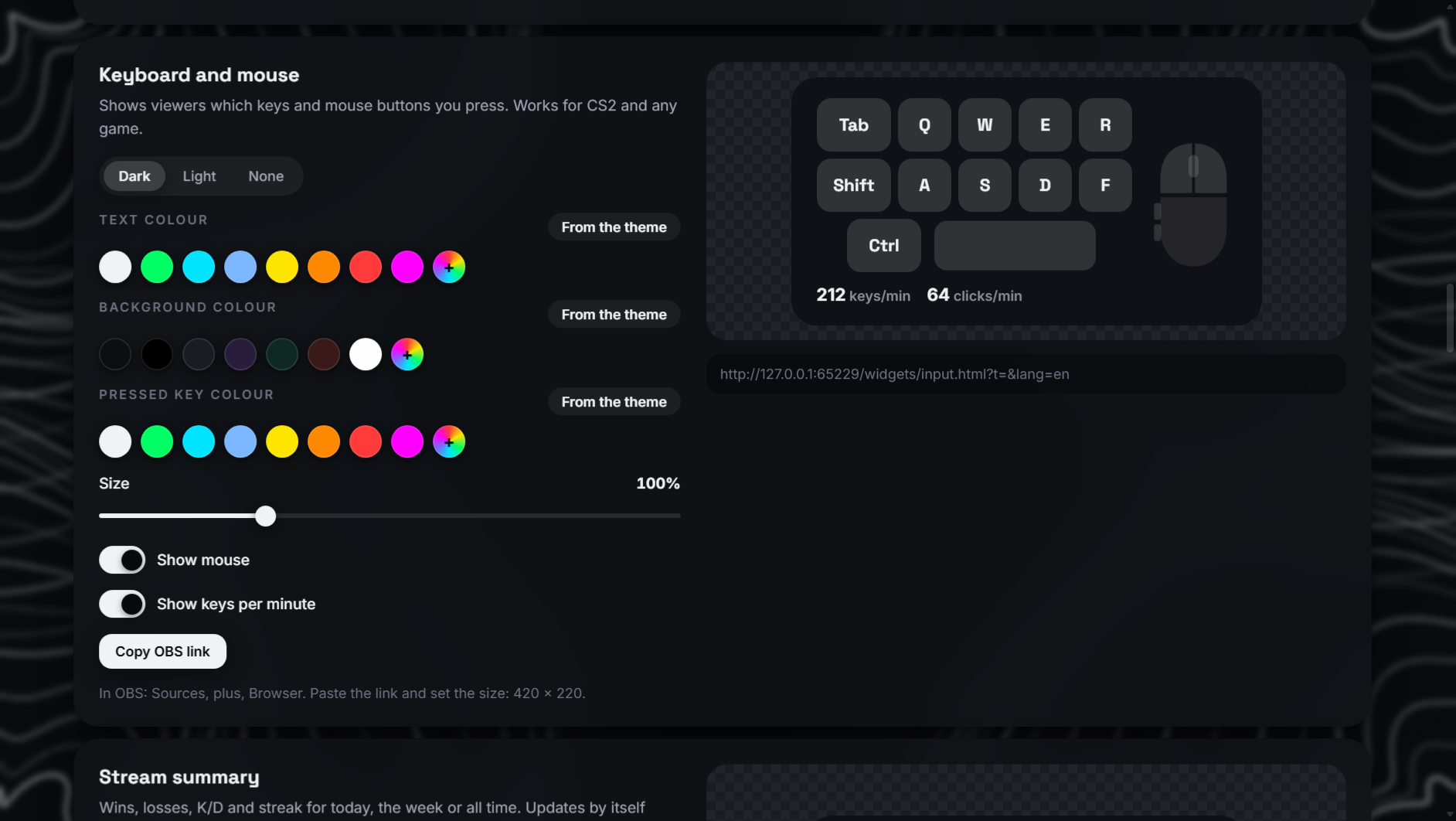
Killmarker, crosshair and HUD over game
HP, armour, money, ammo, score and round timer in one compact bar. Four presets, adjustable opacity and any spot on screen.
- Killmarker and custom sound. Four marker styles, separate headshot colour and custom mp3 or wav sound.
- Counter-strafe timing and key overlay. Real-time WASD and side mouse buttons M4/M5.
- Match history, local practice server, custom crosshairs, binds and C4 timer.
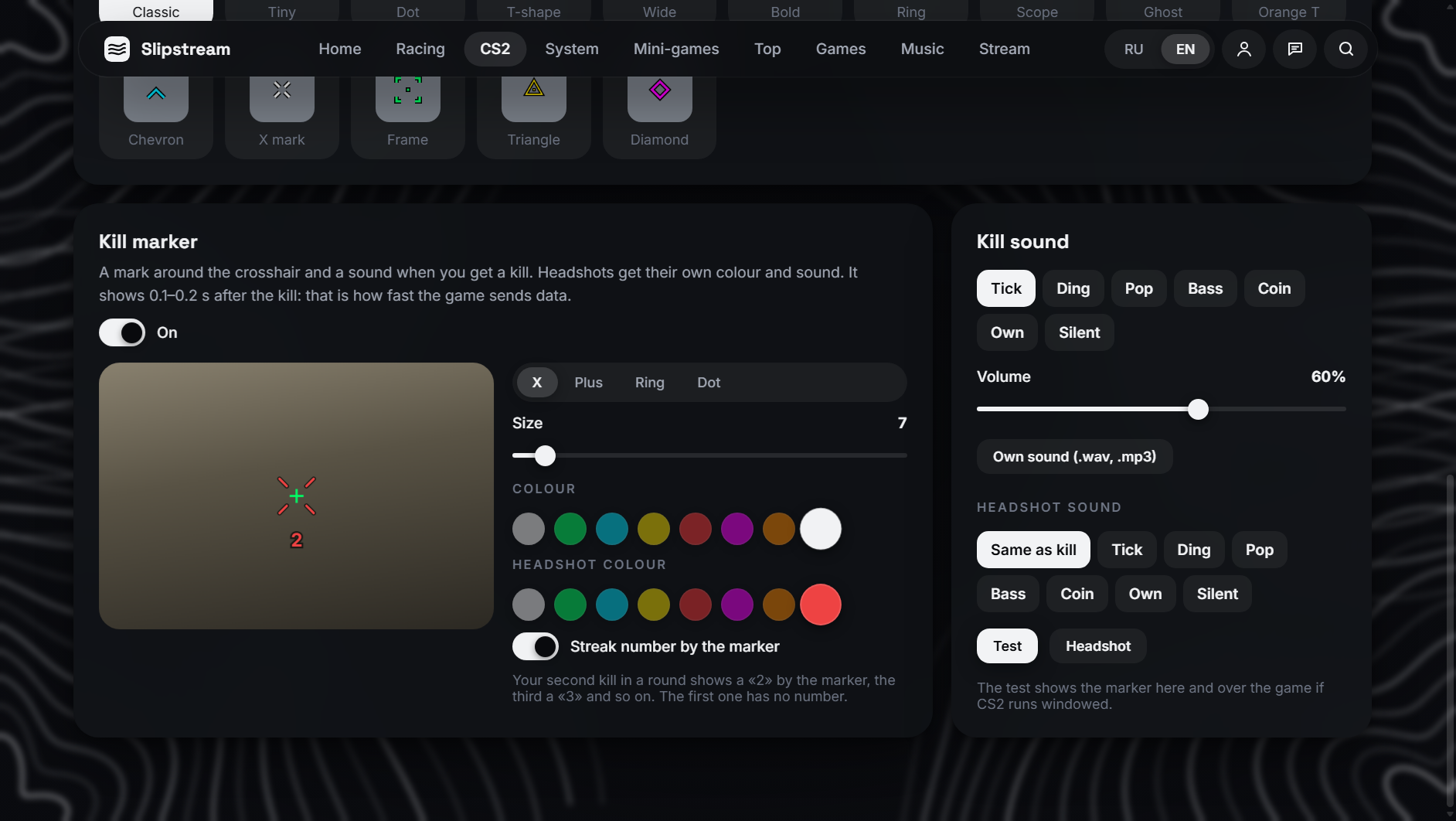
Pedals, gears and co-driver on screen
Live telemetry for DiRT Rally 2.0, BeamNG and Assetto Corsa: RPM, shift light, speed, steering angle and pedal input over the game window via F7.
- Built-in pacenotes. Co-driver call dictionary, traffic light rule and voice trainer.
- Setup cheat sheet. What to adjust in suspension when the front washes out or the wheel kicks.
- One-click config. Slipstream enables UDP telemetry in DiRT config by itself.
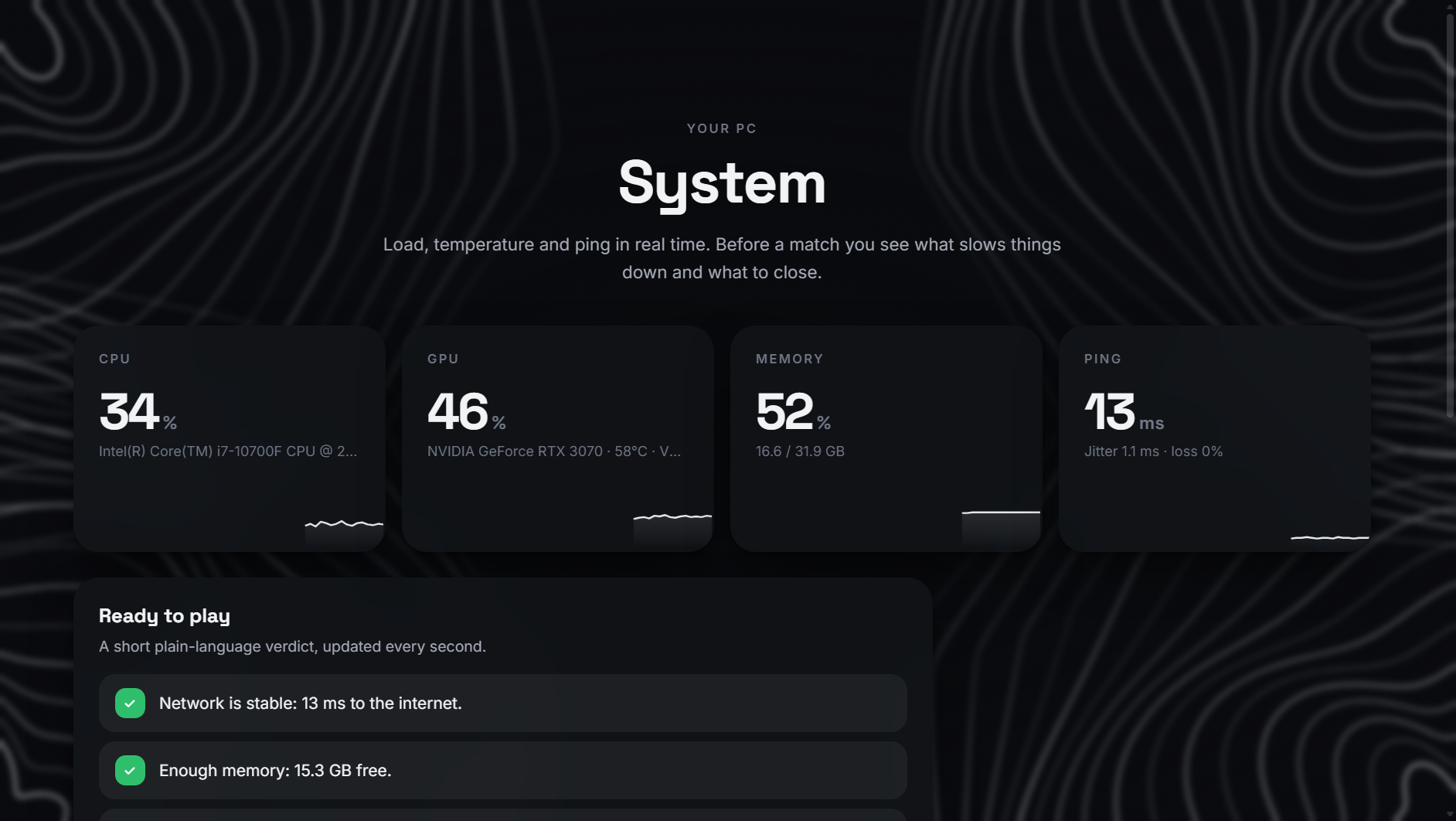
Spot bottlenecks before a match
CPU, GPU temperature, memory and ping with packet loss in real time. A plain verdict before you queue up.
- Network and jitter. Ping, latency spikes and packet loss at a glance before match start.
- Clear readiness. GPU temperature, free memory and system uptime in one list.
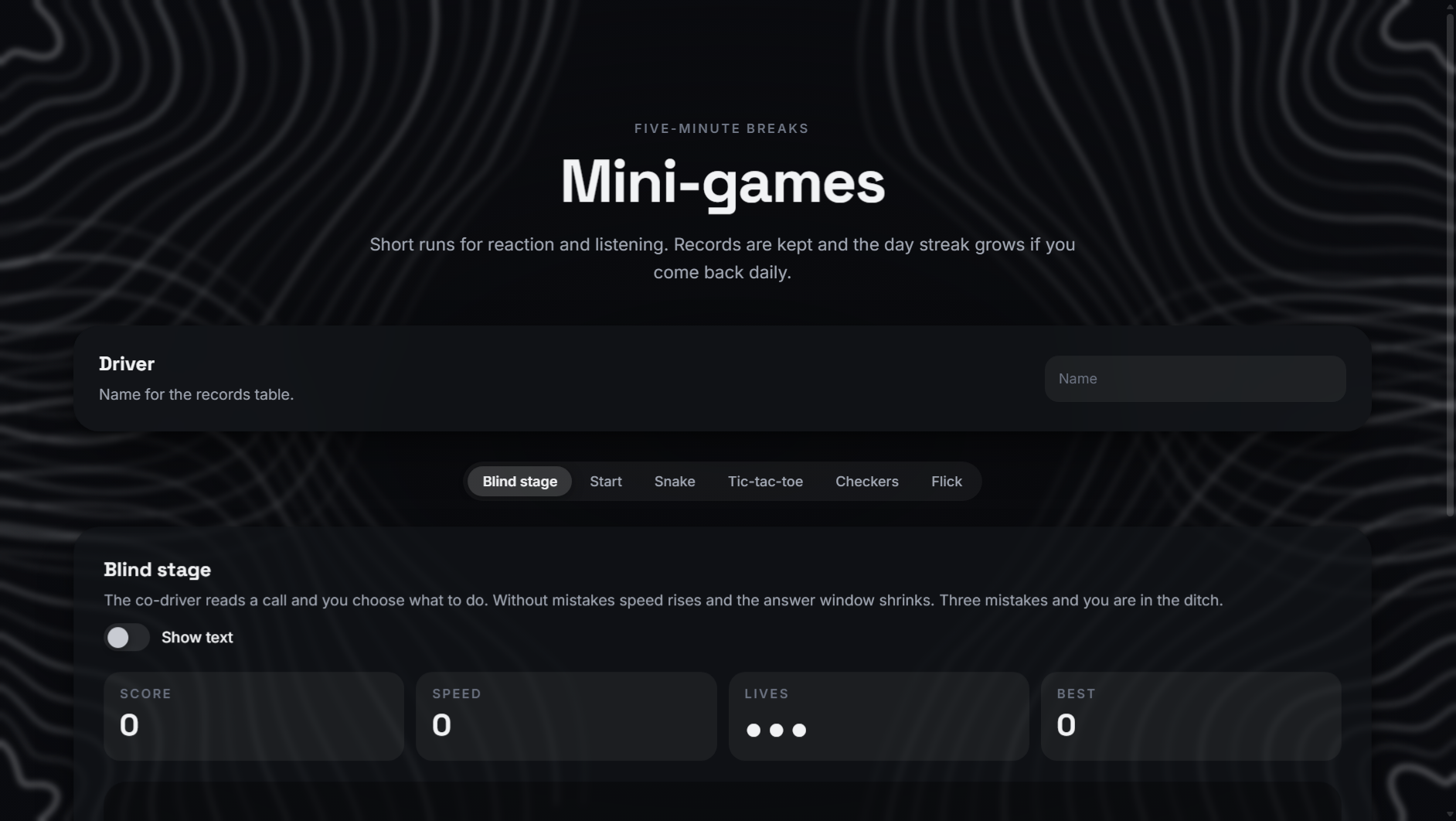
Mini-games and shared leaderboard
Blind rally stage by ear, launch reaction test, target flicks, snake, checkers and tic-tac-toe built straight into the app.
- Seasonal top. Monthly standings with Formula 1 points scoring and daily check-in streaks.
Three steps to launch
No plans or paid tiers. Everything in Slipstream unlocks completely through our Telegram bot in a minute.
Open the bot and subscribe to the channel
The bot gives a direct button to our Telegram channel, checks your subscription and sends a personal key like SLIP-XXXX-XXXX-XXXX.
Activate your key and download the client
If you already have a key, sign in here on the site and download a single Windows exe with no installer or cards.
Run Slipstream.exe and play
Paste the key under Account inside the app. It binds to one PC by HWID (switching PCs is available every 7 days).
If you unsubscribe from the channel, Slipstream locks all features and closes until you subscribe again.
Short and straight
It draws clean utility overlays over games: local OBS widgets, custom CS2 HUD, killmarker, crosshair and bomb timer, sim racing telemetry and spoken pacenotes, track cover overlay over any game and pre-match PC checks.
Slipstream never injects into the game or reads its memory. Match data comes from official Valve Game State Integration, and overlays work as standard transparent Windows windows. Always double check tournament rules if you play events.
Yes, the app uses next to nothing. To display overlays over a game, use Borderless Windowed or Windowed mode, since Windows does not allow drawing over exclusive fullscreen.
DiRT Rally 2.0, BeamNG.drive and Assetto Corsa. For DiRT, UDP telemetry enables in one click from the app, while BeamNG and Assetto Corsa are detected automatically.
The app checks your subscription through the bot. Without an active subscription, Slipstream disables overlays, notifies you that the Telegram channel subscription was not found, and locks until you rejoin.
Only your Telegram ID, key, HWID-bound PC and seasonal leaderboard scores. All your configs, binds, profiles and match history stay locally on your computer.